
Setting Cookies . . Converting Cookies into Variables . . Related Topics . . Home
Universal Web Connect enables you to use HTTP headers in your AppPages to set and use cookies. Cookies are a general mechanism used by Web-server-side connections (such as Universal Web Connect) to store and retrieve information on the client side of the connection (such as your Web browser). You can set cookies in your AppPages and then convert cookies into Universal Web Connect variables.
You can set cookies on any AppPage by adding an HTTP header to the AppPage, for example:
$(HTTPHEADER,set-cookie,name=value)
You can set additional attributes in the second parameter to the HTTPHEADER variable expression, for example:
$(HTTPHEADER,set-cookie,name=value; expires=DATE;
  path=PATH; domain=DOMAIN_NAME)
For more information on cookies, refer to the following URL:
http://home.netscape.com/newsref/std/cookie_spec.html
When a cookie is set for a Web browser, the cookie is passed back to the Web server for each request made by that same Web browser. Universal Web Connect automatically takes any cookies it receives and converts them into Universal Web Connect variables. The Web server environment variable HTTP_COOKIE is detected by Universal Web Connect and parsed into variables so that the HTTP_COOKIE variable is never seen in an AppPage.
The following cookie AppPage determines whether or not the Web
browser has retrieved this AppPage previously. The first time the Web browser
retrieves the cookie AppPage, the AppPage sends a cookie to the Web
browser, which the Web browser keeps even if it retrieves other HTML pages
before retrieving this AppPage again. On any subsequent retrieval of this
AppPage, the Welcome Back! message is displayed.
  <HTML>
  <HEAD><TITLE>Has the user been here before?</TITLE></HEAD>
  <BODY>
  <H2>Has the user been here before?</H2><HR>
  <!--- See if the flag variable has been set --->
  <?MIBLOCK COND=$(XST,$flag)>
  <!--- Flag variable has been set --->
  <B>Welcome Back! You have been here before!</B>
  <?/MIBLOCK>
  <?MIBLOCK COND=$(NXST,$flag)>
  <!--- Flag variable has NOT been set --->
  <!--- Set a cookie --->
  <?MIVAR>$(HTTPHEADER,set-cookie,flag=yes)<?/MIVAR>
  <B>This is the first time you have been to this page!</B>
  <?/MIBLOCK>
  </BODY>
  </HTML>
The following is sample Web browser output the first time the cookie AppPage is retrieved.
|
The following is sample Web browser output on any subsequent retrieval of the cookie AppPage.
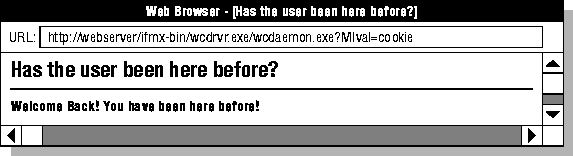 |
Using Variables and Variable Expressions in AppPages