INFORMIX
DataBlade Module Installation and Registration Guide
Chapter 2: Registering with the BladeManager Graphical User
Home Contents Index Master Index New Book

Viewing Log Files

BladeManager generates a log file when you prepare a database for registration, and register, upgrade, or unregister a DataBlade module. If one of these tasks fails, the log file lists the specific SQL statement that failed. Log files also list whether the failure was expected or unexpected and show the error generated by the SQL command.

An example of an expected error is if a DataBlade module contains an SQL statement to create a table, but that table already exists. When BladeManager receives an unexpected error, it halts the operation and returns the database to its state it was in prior to that operation.

Log files are numbered consecutively and contain a time stamp. You should periodically delete log files to free disk space.

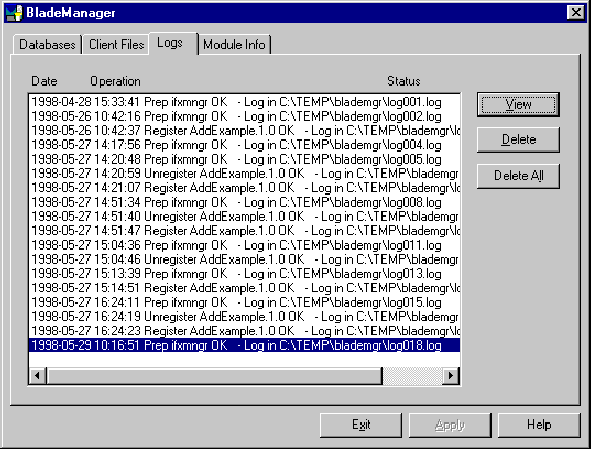
View and delete log files on the Logs page, as shown in Figure 2-3.

Figure 2-3
Logs Page

To view a log file

    1. On the Logs page, select the log file you want to view.

    2. Click View.

To delete a log file

    1. On the Logs page, select the log file you want to delete.

    2. Click Delete.



DataBlade Module Installation and Registration Guide, version 3.6
Copyright © 1998, Informix Software, Inc. All rights reserved.