| DataBlade Module Installation and Registration Guide Registering with the BladeManager Graphical User Interface |
|
|
Some DataBlade modules are shipped with files that are required on client computers. These client files can include graphical user interfaces to view data or tools to query or search the database. When you install the DataBlade module, the client files are placed on the database server. You can install and uninstall these client files on the client computer that runs BladeManager.
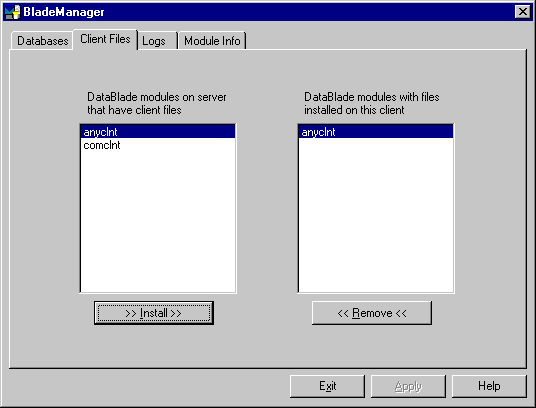
You can manage client files with the Client Files page, as shown in Figure 2-2.
The left list box shows the names of all the DataBlade modules on the current server that include client files that are appropriate for the current client computer. DataBlade modules can contain additional client files for other operating systems. The right list box shows the names of all DataBlade modules that have client files installed on the current client computer.
You must install client files individually on each computer on which you require them.
Typically, client files are installed on the client computer in the $INFORMIXDIR/extend/datablade/client directory for your Informix client products, where datablade is the name of the DataBlade module. However, some DataBlade modules might install files in other directories. To install client files, you must have permission to write to the directory in which the client files are installed.
A client file installation might require processing after BladeManager has copied the files to your computer. For example, you might have to run an install script or setup.exe program before you can use the client files. For instructions, see the release notes for the DataBlade module.
You must uninstall client files from each computer from which you want them removed.
To uninstall client files, you must have permission to write to the directory in which the client files reside.
A client file uninstallation might require processing before or after BladeManager has removed the files from your computer. For example, you might have to run an uninstall script or program before the client files are completely removed. For instructions, see the release notes for the DataBlade module.